关于comfyui的triton安装(xformers的需求)
之前用别人的一键包(confyui加各种东西),现在需要用到别的python版本,发现自己弄完的xformers又有问题,因为有些东西便携包都安装好了
果真就是得自己搞一遍才会懂
老规矩:
A matching Triton is not available, some optimizations will not be enabledTraceback (most recent call last):File "D: \software\pyenv-win\pyenv-win\versions\3.10.11\lib\site-packages\xformers __init_.py",line 57, in _is_triton
available
import triton#noqa
ModuleNotFoundError:No module named ‘triton’
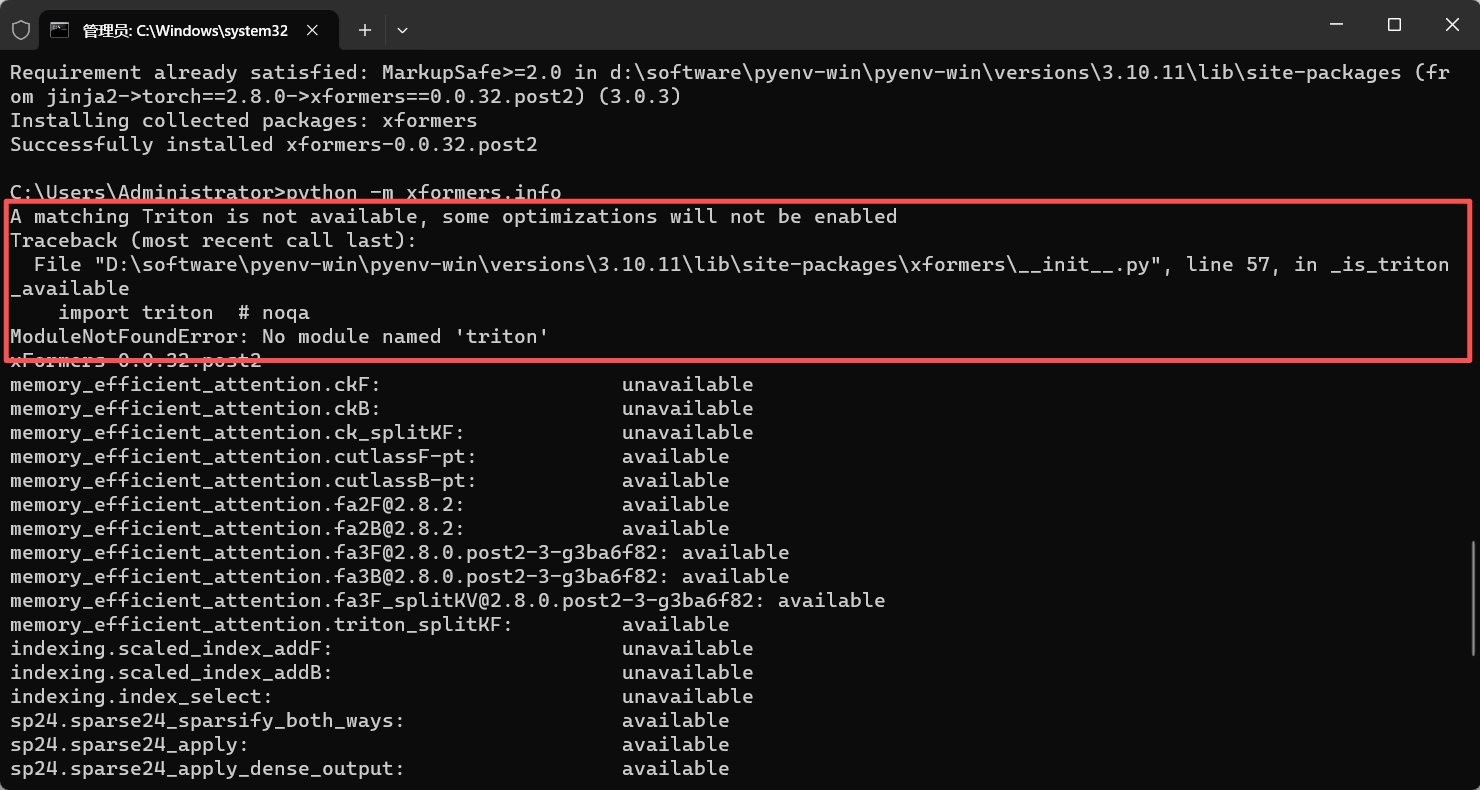
不就是正常的缺少依赖库嘛,还以为很简单的pip install,没想到不行.....而且基本都是liunx的,window版本还是得用大佬的,不然就得自己去编译,而且据说强行在window上面编译的功能还不完整.....
于是我们就得想办法,使用大佬制作的triton-windows,这里是镜像网址,不用魔法
triton-windows:Fork of the Triton language and compiler for Windows support - GitCode
环境需求
-
torch >= 2.4.0; -
CUDA >=12; -
安装
MSVC和Windows SDK; -
环境需要有
msvcp140.dll和vcruntime140.dll。如果 -
然后就可以安装他编译的 whl,实现真正的功能。
能看到这个文章的,应该这些全部弄好了,有需要找我往期文章
就是强调一下4,一般是安装了vs2022是有的
vcredist 安装
vcredist (也称为“Visual C++ Redistributable for Visual Studio 2015-2022”,msvcp140.dll,vcruntime140.dll)。一般环境里都有可跳过,如果没有,可以从 https://aka.ms/vs/17/release/vc_redist.x64.exe 中安装。
下载安装
我们先进入大佬的网站,看一下安装的需求以及注意点,首先是版本问题
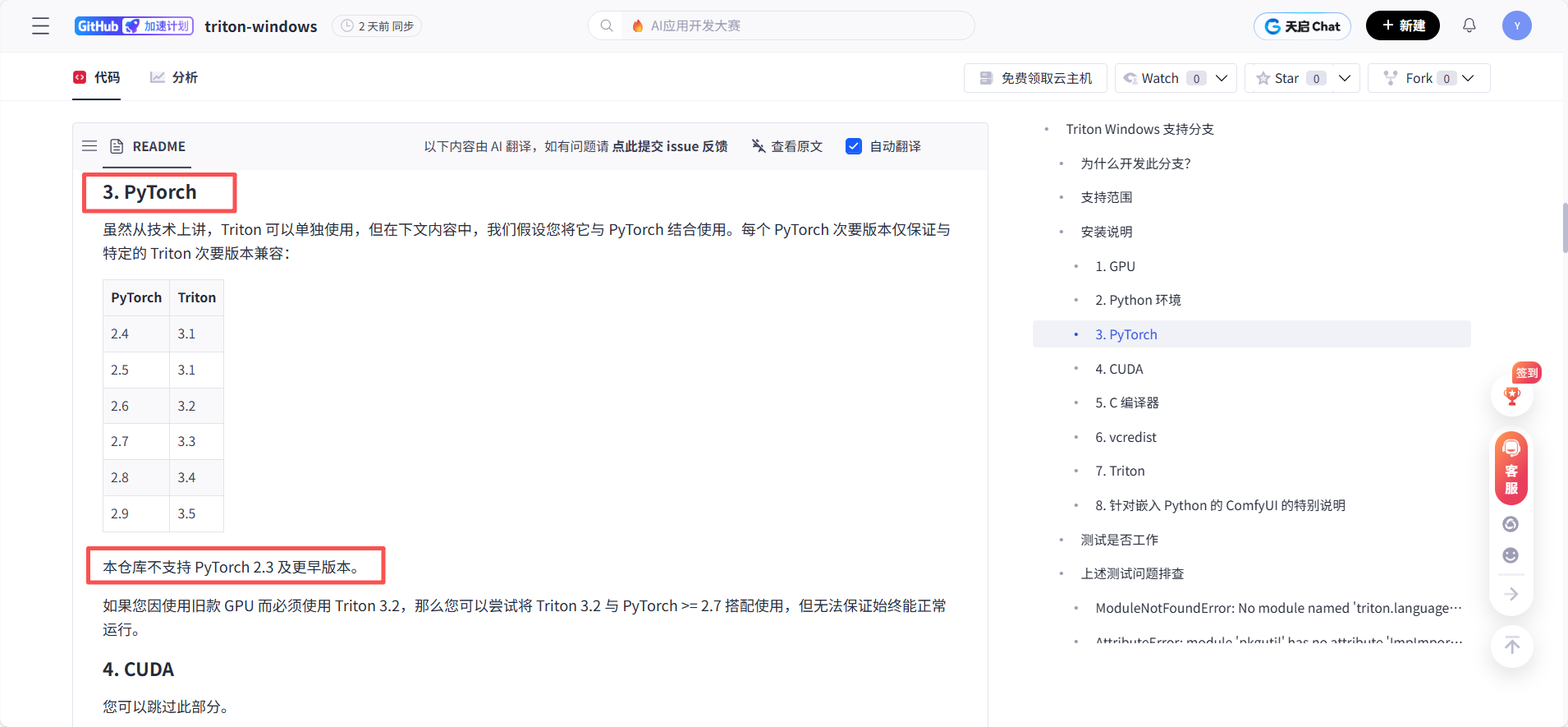
对应的pytorch版本,就下载对应的轮子文件
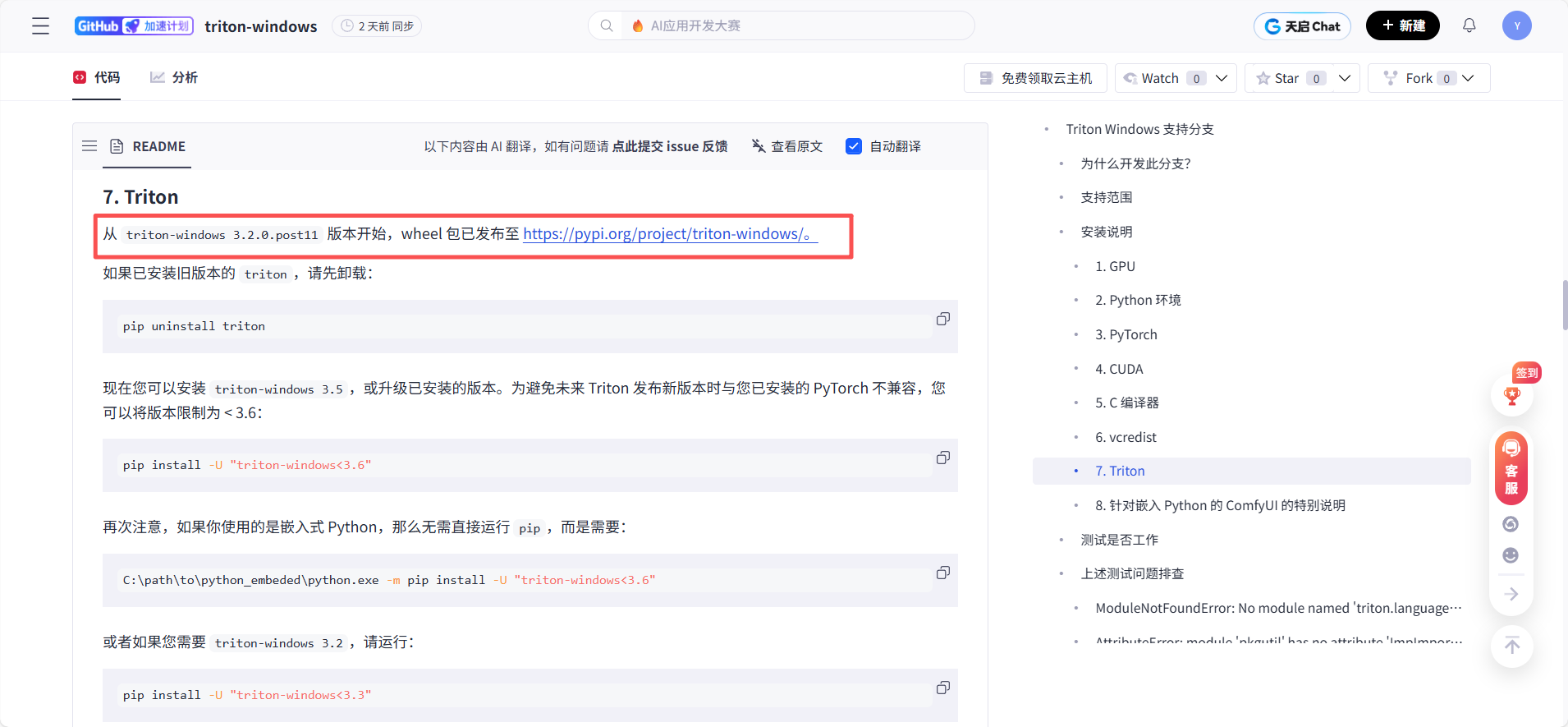
3.2.0以后的版本发布在pypi上面了,我们直接去那个网站
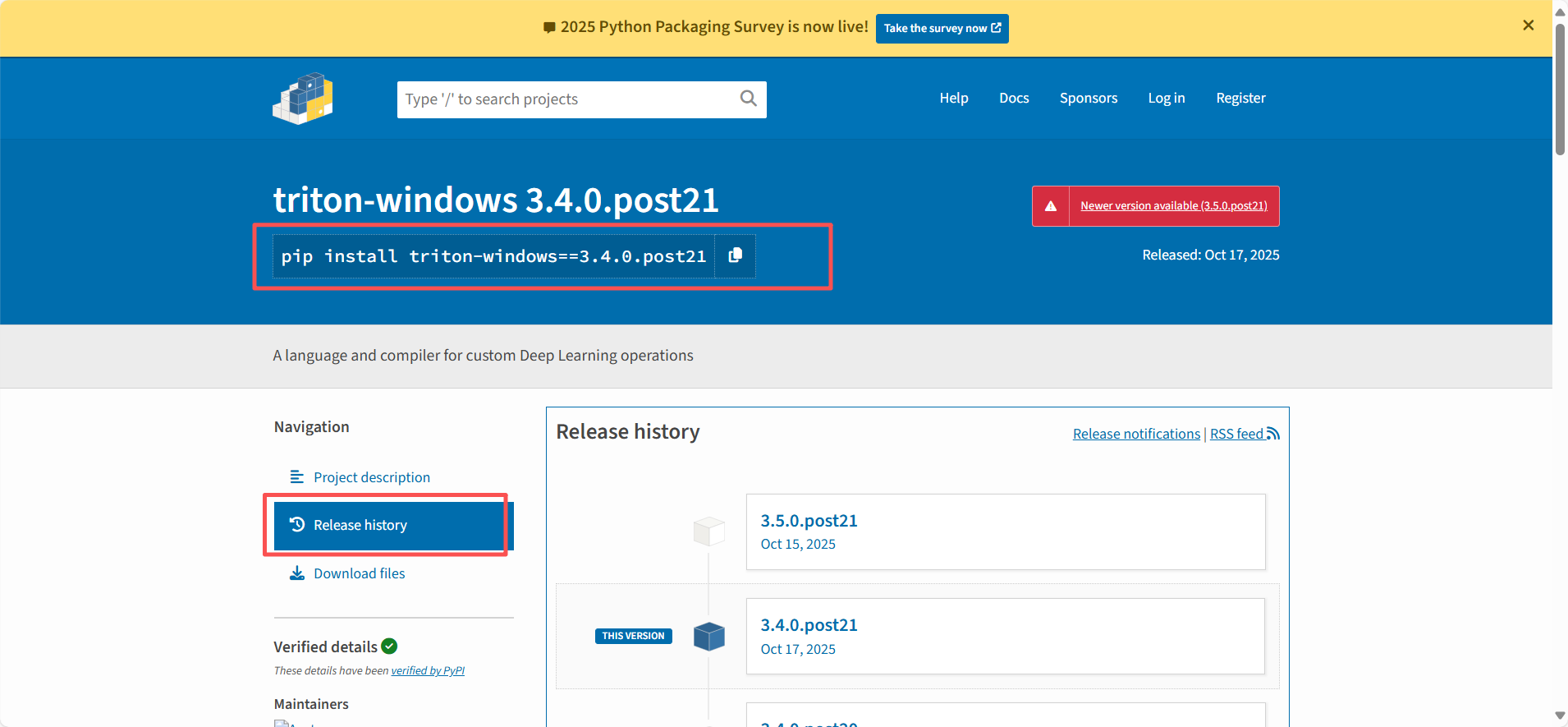
找对应的历史版本,我是torch2.8.0,对应的是3.4版本
可以使用pip,但是我设置了镜像源,镜像上面没有,那就自己手动加地址(使用官方源)
pip install triton-windows==3.4.0.post21 --index-url https://pypi.org/simple/
我更推荐直接下载轮子文件自己去安装
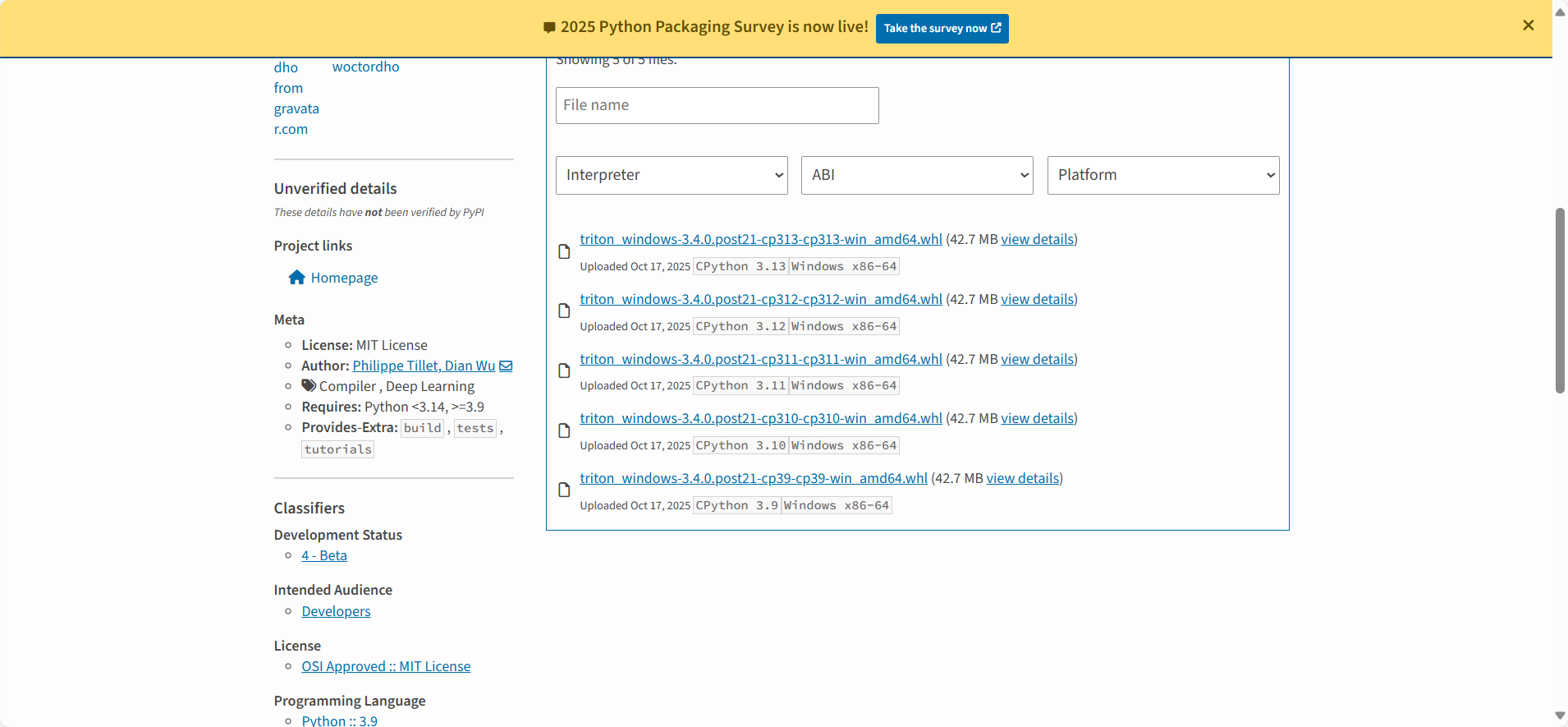
直接找对应版本,参数之前也讲过了
然后pip install 轮子文件,搞定
接下来我们就测试一下,triton是否已经可以使用,直接用作者给的代码测试
先新建一个文件,名字随意(不要直接使用triton),我就叫做test_triton.py,接下来用文本打开,把下面代码粘贴进去,保存
import torch
import triton
import triton.language as tl

@triton.jit
def add_kernel(x_ptr, y_ptr, output_ptr, n_elements, BLOCK_SIZE: tl.constexpr):
    pid = tl.program_id(axis=0)
    block_start = pid * BLOCK_SIZE
    offsets = block_start + tl.arange(0, BLOCK_SIZE)
    mask = offsets < n_elements
    x = tl.load(x_ptr + offsets, mask=mask)
    y = tl.load(y_ptr + offsets, mask=mask)
    output = x + y
    tl.store(output_ptr + offsets, output, mask=mask)

def add(x: torch.Tensor, y: torch.Tensor):
    output = torch.empty_like(x)
    n_elements = output.numel()
    grid = lambda meta: (triton.cdiv(n_elements, meta["BLOCK_SIZE"]),)
    add_kernel[grid](x, y, output, n_elements, BLOCK_SIZE=1024)
    return output

a = torch.rand(3, device="cuda")
b = a + a
b_compiled = add(a, a)
print(b_compiled - b)
print("If you see tensor([0., 0., 0.], device='cuda:0'), then it works")
然后在这个文件夹下,打开cmd,直接运行
python test_triton.py
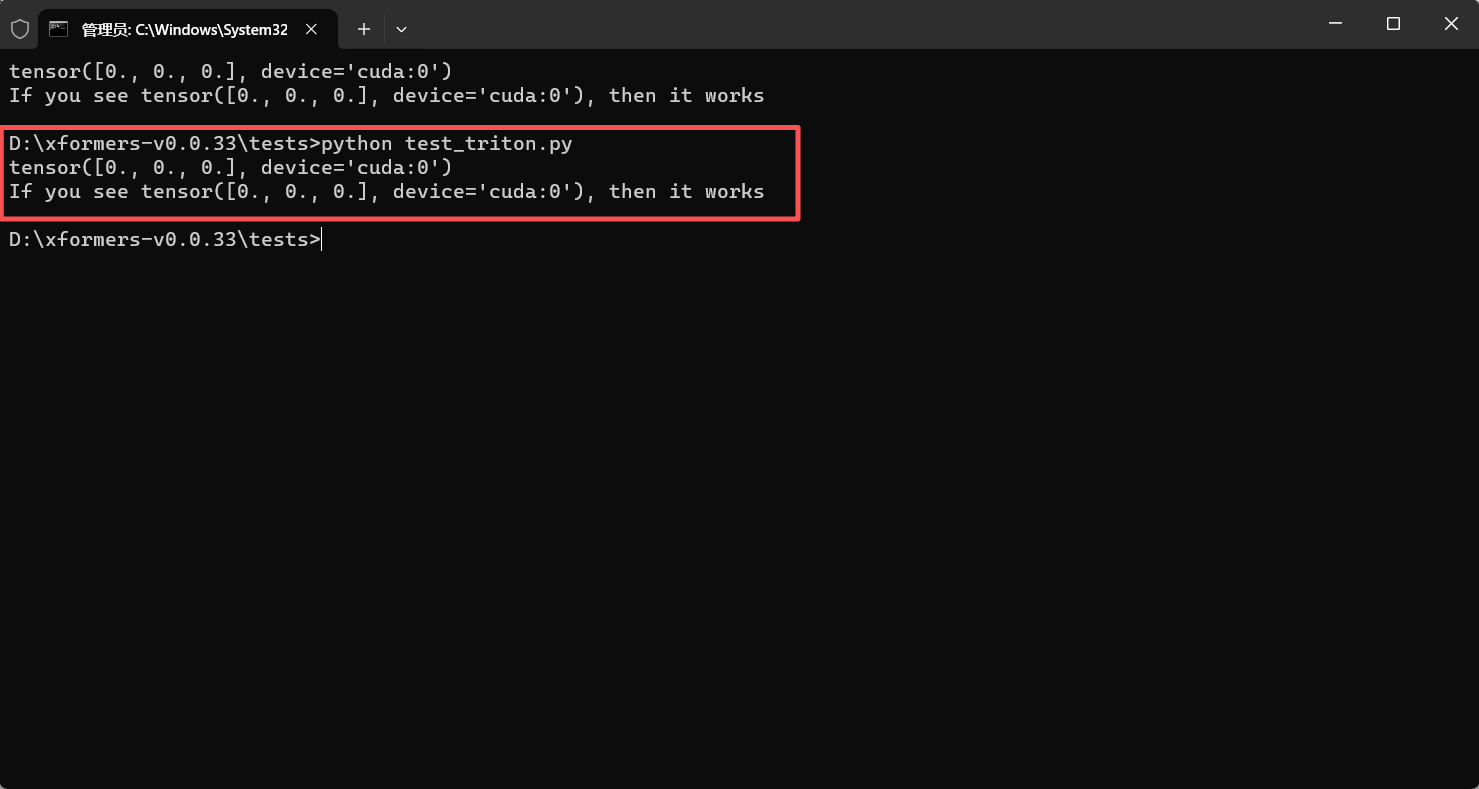
如图所示,如果出现上面的结果,就说明成功安装并且可以使用
再次查看xformers.info
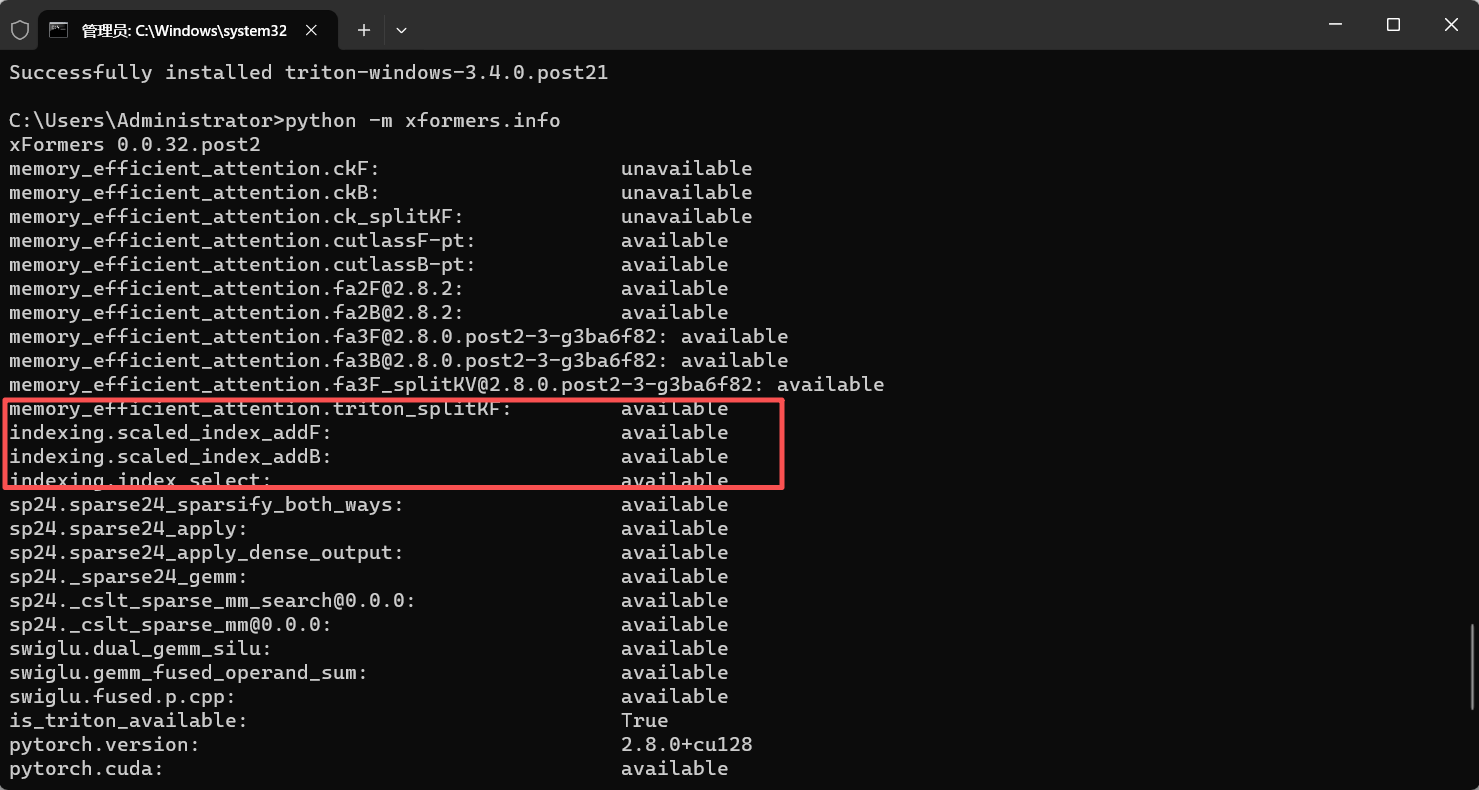
红色部分变成启用了,并且没有报错,完美解决
欢迎来到FlagOS开发社区,这里是一个汇聚了AI开发者、数据科学家、机器学习爱好者以及业界专家的活力平台。我们致力于成为业内领先的Triton技术交流与应用分享的殿堂,为推动人工智能技术的普及与深化应用贡献力量。
更多推荐


 32
32 0
0- 0


 已为社区贡献1条内容

所有评论(0)